





“With Parallels Desktop for Enterprise on our Mac devices, we get the performance and stability we need to document care in real time. Our clinicians enjoy the Mac experience while still having dependable access to our EMR and dictation tools—without lag or workflow disruption.”
The challengeAllow clinicians to use Macs for EMR and dictation workflows without losing access to Windows apps
In this mid-sized regional healthcare clinic in the US, a major quaternary care academic medical center with over 1,000 licensed beds, there’s no room for error. This particular clinic specializes in high‑acuity care and is nationally recognized for excellence in transplantation, cardiology, cardiac surgery, oncology, neurology and neurosurgery.
With the constant pressures of evolving care—and the evolving technology to support that care—they needed a way to properly support clinical workflows.
Clinicians preferred the performance, reliability, and battery life of Mac devices, but some of the essential software they needed to access—like Dragon Medical One, the widely used speech recognition tool for clinical documentation—don’t offer a native macOS application.
This created friction for clinicians who wanted to use both their electronic medical record (EMR) system and Dragon Medical One on their Macs. The clinic’s EMR software depends on integrated dictation for real-time charting, so without direct access, clinicians would need to switch devices or OSs to use both solutions.
The testCould Parallels Desktop give clinicians access to their essential software on Mac without slowing them down?
By deploying Parallels Desktop for Enterprise, the clinic had a couple of priorities.
First, they needed to allow clinicians to use both their EMR systems and Dragon Medical One on Mac without needing to switch devices, transfer sensitive data, or slow down documentation—which could ultimately disrupt patient care.
Second, they needed to ensure clinicians weren’t relying on traditional VDI solutions, which could introduce latency, redirect audio incorrectly, disrupt workflow continuity, and undermine overall productivity.
The solutionParallels Desktop for Enterprise delivers Windows apps on Mac devices to bring workflows together
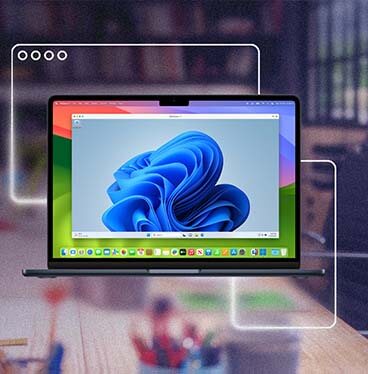
The clinic rolled out Parallels Desktop for Enterprise to Mac users, giving them access to high-performance Windows virtual machines directly on macOS. By running Windows locally in a virtual machine on macOS, clinicians can use Dragon Medical One as if it were a natively supported application.
Additionally, because Parallels Desktop for Enterprise blends macOS and Windows together, users can navigate effortlessly between Windows and macOS apps.
Clinicians saw:
- Native-like performance for Dragon Medical One with accurate, low-latency dictation
- Integration between Windows and macOS applications, including the clinic’s EMR system
- Consistent availability of their virtual machines, independent of network conditions
Ultimately, this led to improved clinician satisfaction, thanks to a fluid, integrated workflow on their preferred devices.
The resultBetter documentation processes and simplified access to critical tools
Clinicians experienced significant improvements in documentation speed and workflow continuity. Running Windows applications locally on Mac devices eliminated the friction of alternative approaches and preserved the benefits of Apple hardware without sacrificing access to critical clinical tools.
“Parallels Desktop for Enterprise gives us the performance and stability we need to document care in real time—without sacrificing the Mac experience clinicians want.”